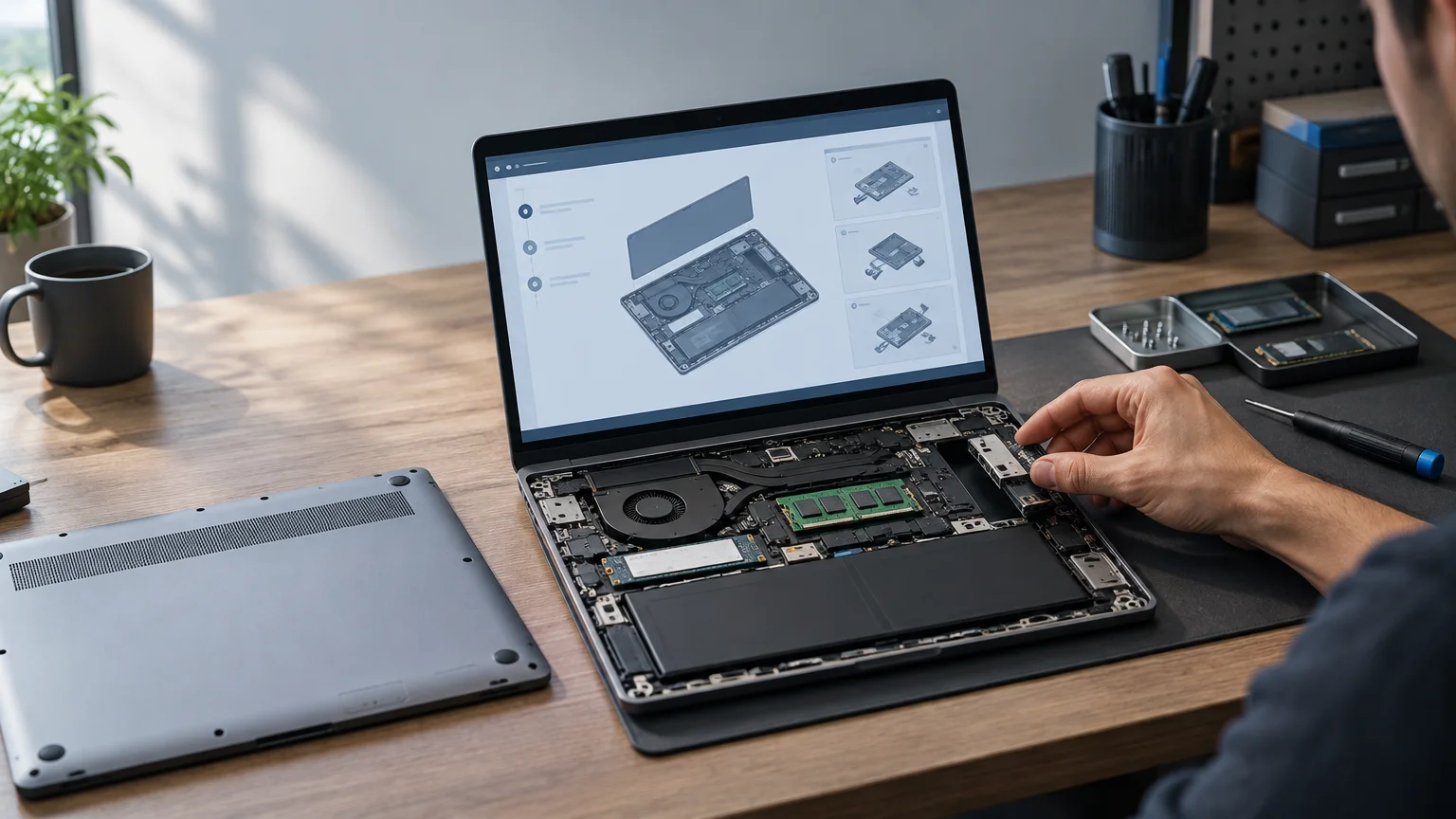
TLDR: A laptop is genuinely repairable when failed or worn parts can be reached, identified, purchased, and replaced using documented procedures. A modular laptop goes further by packaging some functions into intentionally swappable units, but modularity is not proof that every important repair will be easy or affordable. When comparing repairable laptops modular laptops, inspect the service manual, parts catalog, battery and display access, soldering or pairing restrictions, and model-specific compatibility before treating a sustainability claim as a buying reason.
The useful question is not whether a laptop’s bottom cover comes off. It is what happens after the cover is removed. Can you buy the exact battery three years from now? Does replacing a keyboard require changing the entire upper case? Will a new mainboard fit the existing display and chassis? Those details determine whether repairability changes the laptop’s working life or remains a feature-list promise.
What is a repairable laptop?
A repairable laptop is designed so an owner or technician can replace at least the components most likely to fail, wear out, or become inadequate. The strongest evidence is a combination of published procedures, obtainable replacement parts and physical access that does not depend on destructive disassembly. Opening the case is only the first step; a removable cover has limited value if the battery is bonded in place or individual parts are not sold.
Repairability is also specific to a component. One machine may make its battery, fan and storage drive easy to replace while integrating the keyboard into an expensive upper-case assembly. Another may have soldered memory but excellent access to its battery, display and cooling system. It is therefore more useful to ask which repairs are practical than to label an entire model repairable or unrepairable.
Common high-value repair targets include the battery, charging hardware, display, keyboard, touchpad, fan and storage device. Memory matters for upgrades, but it is not usually a wear item. Ports deserve attention because repeated insertion and cable strain can damage them; a port soldered directly to the mainboard may turn a small physical failure into a costly board-level repair.
What makes a laptop modular?
A modular laptop separates one or more functions into units intended to be removed and exchanged. Those modules might be external ports, memory, storage, input components or even the mainboard. Modularity overlaps with repairability because a failed module can sometimes be replaced without microsoldering or discarding unrelated components. The terms are not interchangeable, however.
Consider swappable I/O ports. They can let a user change a USB connection for another interface or replace a damaged port module. That is useful modularity, but it says nothing by itself about battery adhesive, display availability, hinge construction or keyboard replacement. A laptop can be highly modular in one area and difficult to repair elsewhere.
The reverse is also possible. A conventional business laptop may use fixed external ports yet provide a detailed service manual and orderly access to internal assemblies. It can be repairable without having a modular product architecture.
Repairable vs. upgradeable vs. modular laptops
Upgradeability addresses whether a working component can be replaced to increase capacity or performance. Repairability addresses whether a failed or worn component can be restored economically. Modularity describes how functions are divided into interchangeable units. A socketed M.2 drive makes storage upgradeable and replaceable, but that feature alone does not make the battery, screen or ports repairable.
Mainboard upgrades show where the distinctions become important. A manufacturer may design later boards for an existing chassis, allowing the processor platform to change without replacing the display, keyboard and enclosure. That is a meaningful form of modularity. Its practical value still depends on compatible firmware, cooling, connectors, power requirements, display assemblies and other model-specific boundaries.
Soldered memory or storage is a disadvantage when capacity requirements change or the component fails, but it is not automatically a deal-breaker for every buyer. A well-sized configuration can remain suitable throughout its useful life. The decision depends on expected workloads, the importance of data recovery, purchase price and whether other high-wear parts remain serviceable. The important thing is to recognize the constraint before buying rather than discovering it during a repair.
Five checks before buying a repairable laptop
1. Read the actual repair manual
Find documentation for the precise model or machine type, not merely the product family. Look for separate procedures covering the bottom cover, battery, storage, fan, keyboard, display and ports. Good instructions should identify fasteners, cable-release methods, relevant cautions and the order of removal.
Pay attention to how many unrelated assemblies must be removed. A replaceable keyboard is much less convenient if reaching it requires stripping almost everything from the chassis. Also check whether reassembly needs fresh adhesive, single-use clips, calibrated tools or software procedures that are not readily available.
2. Search the parts store as if something had already failed
Do not stop at a page saying replacement parts are offered. Search for a battery, fan, keyboard, display assembly and charging-related component for the exact configuration. Note whether each component is sold individually or bundled into a larger, more expensive assembly.
A populated parts store at launch is encouraging, not a guarantee of long-term stock, stable pricing or availability in every country. Compare the cost of likely repairs with the laptop’s value and your tolerance for downtime. A technically replaceable display or mainboard can still be uneconomical to replace.
3. Prioritize high-wear and high-failure-consequence components
Start with the battery because its capacity declines with use. Then examine the keyboard, fan, storage device, charging path, ports, hinges and display. The ideal priority order varies: a traveler may care most about battery and charging repairs, while a developer may place greater weight on memory, storage and cooling access.
Ask whether a damaged charging port requires a small daughterboard, a port module or an entire mainboard. Likewise, determine whether the keyboard is an individual part or permanently integrated into the palm-rest assembly. These packaging choices often matter more than a broad repairability label.
4. Check for soldering, pairing and firmware restrictions
A component may be physically removable but restricted by software, calibration or parts pairing. EPEAT’s computer and display criteria explicitly cover areas including design for repair and reuse, replacement components and repair services, long-life batteries, firmware access and software-based parts-pairing barriers. Its criteria for electronics repair and reuse provide a useful vocabulary for questions that product pages may leave unanswered.
Verify whether replacement parts require manufacturer software, online authorization or serialized matching. Also check whether firmware updates remain available without a service contract and whether a replacement board can be initialized by an owner or an independent shop.
5. Verify compatibility and support by model year
Modular ecosystems still have boundaries. Changes to connectors, hinges, antenna routing, displays, cooling systems or chassis dimensions can prevent a newer component from fitting an older machine. A product-family name is not enough evidence of compatibility.
Framework, for example, publishes support material and an upgrade guide documenting compatibility limits for some Laptop 13 and Laptop 13 Pro bottom-cover components. That documentation is useful precisely because “same family” does not always mean “interchangeable.”
Two different routes to serviceability
Framework Laptop 13: modularity as a product system
Framework presents the Laptop 13 around configurable Expansion Cards, upgradeable memory and M.2 storage, and the ability to replace every part using its included screwdriver. These are specific design commitments rather than a general claim that the bottom panel can be opened.
Its replaceable mainboard concept is especially notable because it creates the possibility of changing the computing platform while retaining other assemblies. The practical buying question is not simply whether such upgrades exist, however. Buyers should confirm that the board generation, memory, cooling hardware, display and chassis parts they plan to combine are explicitly supported. They should also price the complete upgrade rather than comparing only the headline board cost.
ThinkPad T14 Gen 7: documented conventional servicing
Lenovo provides a self-repair removals-and-replacements support section for specific ThinkPad T14 Gen 7 machine types. This illustrates a different model: a laptop can have documented service procedures even without Framework-style interchangeable external I/O modules.
That distinction matters for buyers who value field service, organizational procurement or access to established repair channels more than configurable ports. It also prevents an overly simple comparison in which “modular” automatically means repairable and “conventional” automatically means disposable. Serviceability must be checked against the exact configuration and procedures offered.
What modularity does not solve
- Cost: A part can be replaceable but priced too close to the value of the complete laptop to justify the repair.
- Inventory: Current availability does not establish that the same part will be stocked years later or sold in every region.
- Compatibility: New modules may remain within a particular generation, chassis revision or firmware branch.
- Downtime: Owner replacement is less useful if a critical part has a long lead time.
- Performance limits: A repairable chassis cannot guarantee that future workloads will run acceptably on compatible hardware.
- Skill and risk: Clear instructions reduce uncertainty, but delicate connectors, batteries and display cables can still be damaged during service.
Repairability scores can help summarize several of these factors. iFixit’s laptop repairability scorecards consider disassembly, replaceable components, documentation and parts availability. Treat a score as attributed evaluation rather than a permanent specification: the rubric can change, and scores from different years may not be directly comparable.
Environmental claims also deserve precision. A machine that remains in productive use after a battery or mainboard replacement may avoid an immediate whole-device replacement, but the supplied evidence does not establish a universal cost or environmental outcome. The result depends on whether repairs actually happen, how long the device remains useful, the price of parts and whether performance requirements change.
Who benefits most from a repairable laptop?
Repairability has the clearest value for people who keep computers for several years, travel far from convenient service, rely on a laptop for paid work or manage a fleet of similar machines. It can also suit technically curious owners who are comfortable following service documentation and keeping track of component compatibility.
For a buyer who replaces a laptop frequently for performance reasons, extensive modularity may be less valuable than a lower initial price, better battery life or a stronger warranty. Some organizations may prefer technician service and dependable parts logistics over owner repair. Repairability is a decision variable, not a moral test or a universal requirement.
Common questions about repairable and modular laptops
Can a laptop be repairable without being modular?
Yes. A conventional design can provide documented access to replaceable batteries, fans, storage, keyboards and displays without using interchangeable port or mainboard modules. Documentation, parts access and sensible disassembly determine practical repairability.
Do swappable ports prove that the whole laptop is easy to repair?
No. They show modularity in the I/O system. Battery adhesive, keyboard integration, display construction, parts availability and software restrictions must be evaluated separately.
Are laptops covered by the EU regulation often associated with phone and tablet repairability?
EU Regulation 2023/1670 applies to smartphones, other mobile phones, cordless phones and slate tablets. It should not be treated as a laptop repairability regulation.
The practical buying rule
Begin with the repairs most likely to matter during your planned ownership period, then work backward through the evidence. Find the exact manual. Locate real part numbers and current prices. Trace the removal steps. Check pairing, firmware and compatibility restrictions. Finally, decide whether the likely repair cost and downtime are acceptable.
Modular design becomes more than a sustainability pitch when the modules address real failure points, documentation is specific, parts are obtainable and compatibility rules are clear. Buy the evidence around the product, not merely the word “modular” printed beside it.
References
- Laptop Repairability Scores | Most Repairable Laptops – iFixit
- EPEAT Criteria
- Framework | Order a Framework Laptop 13 with AMD Ryzen™ AI 300 Series
- Upgrade using Bottom Cover Upgrade Kit – Framework Guides
- frame.work
- laptops and netbooks :: thinkpad t series laptops :: thinkpad t14 gen 7 type 22al 22am – Lenovo Support US
- Regulation – 2023/1670 – EN – EUR-Lex