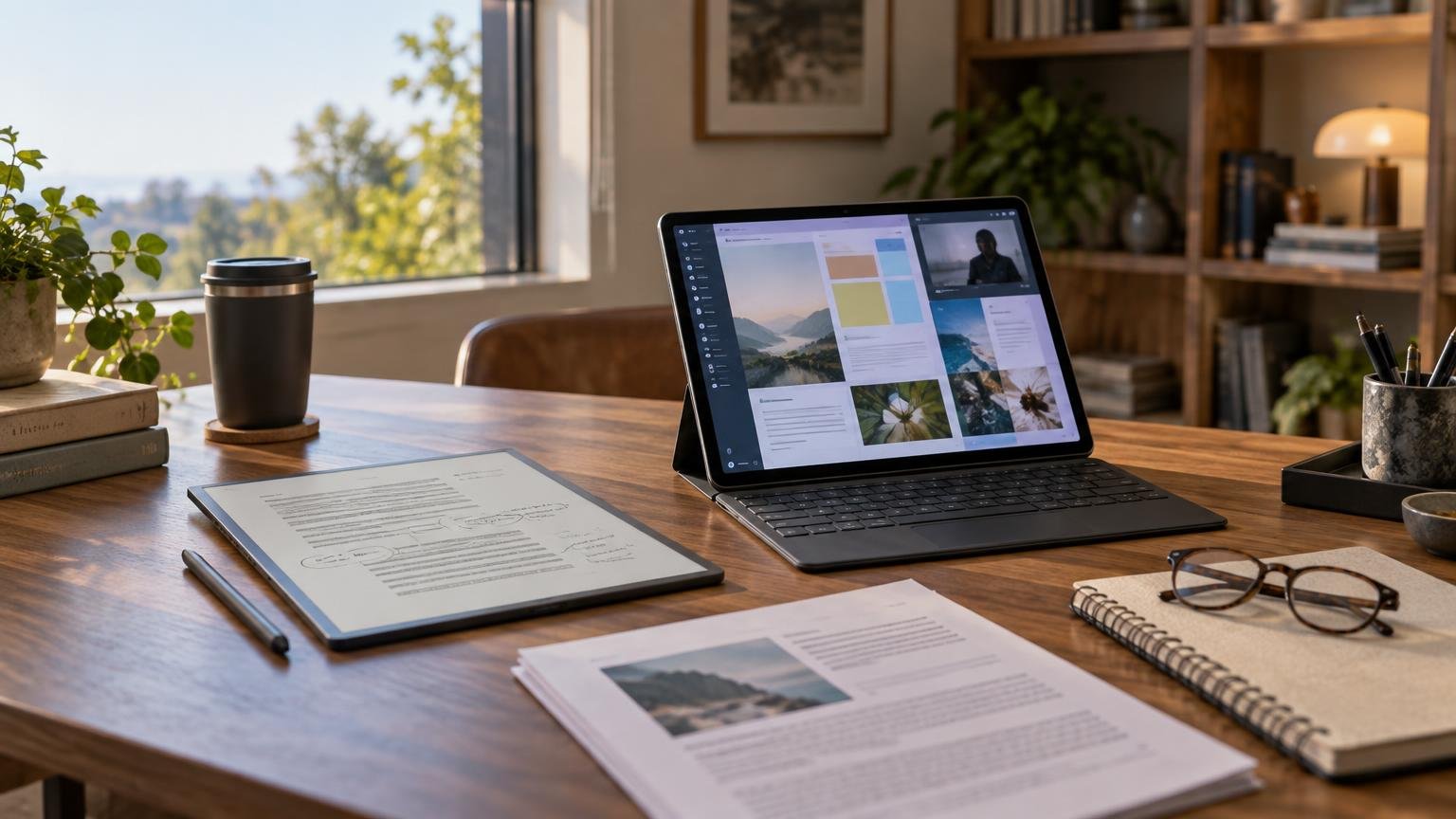
TLDR
Choose an e-ink tablet if your main jobs are reading, handwriting, and reviewing mostly static documents without a busy app environment. Choose an iPad if you need vivid color, fast scrolling, video, specialized apps, browser research, multitasking, or flexible connections to cloud and external storage. If you read and annotate for hours but also need a general-purpose tablet, using both can be more sensible than forcing either device to do everything.
The useful answer to the e ink tablet vs ipad question starts with your documents, not the display specification. A novel, a handwritten meeting notebook, a scanned research paper, and a color textbook impose very different requirements. File destinations matter too: a pleasant writing surface is of limited value if exporting notes into your work or school system becomes a weekly chore.
First, decide which kind of e-ink tablet you mean
“E-ink tablet” describes several categories that can look similar in photographs but behave differently in practice. Treating them as interchangeable leads to poor comparisons.
- Focused digital-paper tablets prioritize handwriting, document review, and a deliberately limited interface. They are designed more like connected notebooks than conventional tablets.
- E-reader and notebook hybrids combine book reading with a stylus and document annotation. Their workflow may remain closely tied to the manufacturer’s library and transfer services.
- Android-based e-ink tablets can run third-party applications and may offer expandable storage or broader format support. They are closer to conventional tablets, although their displays still favor static content.
The reMarkable Paper Pro illustrates the focused category. Its manufacturer lists an 11.8-inch E Ink Gallery 3 color display, PDF and EPUB import, several export formats, companion applications, claimed 12-millisecond writing latency, and up to two weeks of battery life. Those are specifications and manufacturer estimates for one product, not results that apply to every e-ink tablet.
BOOX’s Tab Ultra C Pro represents a different approach: an Android-based e-ink device with Google Play access, third-party apps, support for multiple document formats, and microSD expansion. Its existence is an important corrective to the claim that e-ink devices are necessarily simple or distraction-free.
E ink tablet vs iPad: the practical differences
| Decision factor | E-ink tablet usually fits better | iPad usually fits better |
|---|---|---|
| Reading | Novels, long-form text, and page-oriented documents | Color textbooks, slides, comics, websites, and image-rich PDFs |
| Handwriting | Focused notebooks and extended handwritten review | App-rich notes combining handwriting, typing, images, audio, and links |
| Motion | Page turns and mostly static interfaces | Fast scrolling, animation, video, and responsive multitasking |
| Battery priorities | Long intervals between charges in reading-focused use | Mixed computing where charging is already part of the routine |
| Apps | A limited environment or selected Android apps, depending on device | Broad productivity, creative, communication, and media software |
| Files | Good when supported import and export routes match the workflow | More flexible cloud, server, application, and external-storage handling |
| Distraction | Potentially lower on purpose-built systems | More temptations, but also more communication and work capabilities |
Reading depends on the document, not just the display
E-ink is especially compelling for content that remains still while you read. E Ink describes its technology as bistable, meaning a static image can remain visible without continuous display power. That characteristic helps explain why the technology suits page-oriented devices, although it does not guarantee the same battery life across different products. Readers interested in the underlying behavior can see E Ink’s explanation of bistable displays.
Reflowable books are an easy case because text can resize to suit the screen. Simple, single-column PDFs may also work well. Trouble begins when the page itself is the layout: scanned documents, two-column academic papers, landscape spreadsheets, detailed diagrams, and small footnotes may require frequent zooming and panning. Those actions expose the slower refresh behavior of e-ink and can interrupt an otherwise calm reading experience.
An iPad is generally the safer choice for mixed document collections. Fast navigation matters when jumping between a paper, browser tabs, a reference manager, and class slides. It is also better suited to video, animation, photography, and documents in which color conveys meaning. An e-ink device can still serve as a companion for close reading, but it may not be the best place to discover, organize, and cross-reference the material.
Handwriting quality is more than a latency number
Dedicated digital-paper devices can feel coherent because the hardware and interface are organized around the pen. Opening a notebook, turning a page, changing a writing tool, and returning to a document are central actions rather than features inside one application among many.
Latency figures require caution. A manufacturer’s claimed response time may describe a particular device, pen, software path, or measurement method. It does not create a reliable cross-brand ranking unless the products were tested under comparable conditions. Surface texture, stroke rendering, palm rejection, pen shape, page refresh behavior, and the speed of navigating between notes can matter as much as a single millisecond figure.
The iPad’s advantage is the breadth of the resulting note. Apple documents drawing and PDF-markup workflows in Notes using an Apple Pencil or a finger. Beyond the built-in tools, an iPad can support notes that mix handwriting with typed text, images, links, recordings, presentations, and other application-specific elements. That flexibility is useful for classes and collaborative work, but it can also introduce more settings, notifications, and software decisions.
Before buying either type, trace one note through its entire life: creation, organization, search, synchronization, sharing, archival, and later editing. A device that feels excellent during the first ten minutes may still be the wrong tool if the final export is awkward or loses information you need.
Battery life is a workflow advantage, not a universal number
A bistable display can conserve power while showing a static page, but the screen is only one part of a device. Front lighting, wireless synchronization, handwriting, indexing, processor activity, refresh modes, and third-party Android apps can all change energy use. Larger displays and color implementations add further variables.
That is why category-wide claims such as “e-ink lasts two weeks” are too broad. Some manufacturers advertise multiweek operation for particular products under defined assumptions, while an app-heavy e-ink tablet may behave differently. The practical benefit is often simpler: a focused reader or notebook may demand less charging attention than a multipurpose tablet used for browsing, calls, video, and background applications.
Consider the charging environment rather than chasing the largest advertised figure. A weekly office routine, a transatlantic flight, field research away from outlets, and a semester of daily classroom use create different requirements. Battery endurance matters most when forgetting to charge would prevent the device from doing its one essential job.
Color e-ink does not turn digital paper into an iPad
Color e-ink broadens what these devices can display. It can make highlights easier to distinguish and add useful context to charts, covers, and annotations. It should not be confused with the vivid, fast-changing display experience of a conventional tablet.
For reading, that difference may be acceptable or even irrelevant. For photo review, digital painting, video, animation, detailed maps, design approval, or color-critical educational material, it becomes decisive. If a diagram depends on subtle shades or you need to assess how creative work will look on a bright conventional screen, an iPad is the more appropriate tool.
A simple buying test is to temporarily view your five most important documents in grayscale. If information disappears or the experience becomes frustrating, color quality is a requirement rather than a bonus. If color merely decorates the page, e-ink may still satisfy the underlying task.
File workflows can decide the purchase
A comparison that stops at reading and writing misses where many ownership problems emerge. Ask how files enter the device, what happens to annotations, which formats can leave it, and whether the result reaches the storage system used by your team or school.
Apple documents that the iPad Files app can connect to external storage, servers, and cloud storage services. This does not mean every application handles every file identically, but it gives the iPad a broad foundation for moving material among locations. USB-C hardware, storage capacity, ports, and accessory compatibility still vary by iPad model, so confirm the exact configuration rather than assuming all iPads offer the same connections.
E-ink workflows vary more sharply by vendor. Some products center on companion desktop and mobile applications. Others expose Android file tools, cloud services, or removable storage. A restricted workflow can be pleasantly simple when it matches your routine, but it can create friction when an institution requires a particular storage provider, annotation format, or application.
Kindle Scribe shows why the transfer route matters. Amazon documents that annotation capabilities can vary with file type and how a document reaches the device. Eligible documents delivered through Send to Kindle can support direct-on-page handwriting, while PDFs loaded through USB-C have limitations. Amazon also documents a 200 MB per-file limit for supported Send to Kindle personal documents. Capabilities can differ by Scribe generation as well, so instructions for a newer model should not automatically be applied to every device.
Distraction reduction is a design choice
Focused e-ink products can reduce temptation by omitting social applications, games, video, and a general-purpose app store. reMarkable explicitly presents its custom operating system around distraction-reduced work. That can be useful when the desired behavior is to open one document and stay with it.
But e-ink itself does not create focus. An Android e-ink tablet can carry a browser, messaging tools, and many of the same applications that compete for attention elsewhere. Conversely, an iPad can be configured with Focus modes, limited notifications, a simplified home screen, or a dedicated reading profile.
The stronger question is what kind of boundary you need. If you want fewer notifications, software settings may be enough. If you want a device on which distracting applications cannot be installed conveniently, a focused digital-paper system creates a harder boundary. If your work depends on chat, browser research, and video meetings, removing those capabilities may obstruct work rather than protect it.
Which device fits each kind of user?
Recreational readers
Start with an e-reader or e-reader/notebook hybrid, especially if books are the primary material. An iPad becomes more attractive when reading includes comics, magazines, web articles, video, or visually rich publications.
Students
An iPad is the safer single-device choice for courses that rely on color slides, learning-management systems, web research, video, and specialized applications. An e-ink tablet can be a strong companion for assigned reading and handwritten review. Check large, scanned, and two-column PDFs before committing.
Meeting-heavy professionals
A focused digital-paper tablet fits users who want a reliable notebook and PDF reviewer without incoming messages on the same screen. Confirm that searchable organization, export formats, cloud destinations, and any subscription-dependent features fit company policy. Recurring services should be included in the total cost, not treated as an afterthought; a periodic subscription software audit can reveal how quickly overlapping note and storage plans accumulate.
Researchers and knowledge workers
Choose based on the split between close reading and information gathering. E-ink can provide a dedicated surface for sustained reading, while an iPad handles discovery, references, browser tabs, communication, and richer annotation applications. This is one of the clearest cases for a two-device setup, provided synchronization does not create duplicate libraries.
Artists and design reviewers
Choose an iPad when responsive creative applications, layers, vivid color, image detail, or video are essential. A color e-ink device may be useful for written feedback and rough markup, but it is not an interchangeable substitute for a conventional color display.
Frequent travelers
A lightweight e-ink reader offers a focused library with relatively low charging overhead. An iPad can replace more separate devices by covering entertainment, communication, browsing, and work. The decision is between specialization and consolidation—not simply which battery claim is larger.
A buyer checklist before choosing
- Collect five representative files, including your most complex PDF, and verify how each candidate displays them.
- Decide whether color is informational, creatively important, or merely decorative.
- List every required application, including school, work, reference, communication, and accessibility tools.
- Map the complete file route from download or scan through annotation, synchronization, sharing, and archive.
- Verify what happens to handwriting during export and whether the result remains editable, searchable, or only visual.
- Check the exact model’s stylus compatibility, storage, ports, supported formats, accessory requirements, and regional availability.
- Calculate the all-in cost of the device, pen, case, keyboard, storage tier, cloud service, and note-taking subscriptions.
- Define distraction reduction precisely: fewer alerts, no app store, no browser, or a physically separate reading device.
- Decide whether you are replacing paper, replacing a general-purpose tablet, or adding a companion device. These are different purchases.
The best choice follows the job
An e-ink tablet is usually the better specialist: it can create a deliberate place for books, handwritten notes, and static documents. An iPad is the better generalist: it handles more kinds of content, applications, communication, and file movement, especially when speed and color matter.
Do not buy an e-ink device merely because it promises focus, and do not buy an iPad merely because it can technically perform more tasks. Test the documents you actually use and identify where your notes must go afterward. If one device cannot cover both sustained reading and flexible computing without serious compromise, the honest answer may be two smaller roles rather than one imperfect replacement.
References
- About reMarkable Paper Pro
- BOOX Tab Ultra C Pro | 10.3'' Color ePaper Tablet PC with Next-level Excellence – The Official BOOX Store
- Benefits|E Ink Technology
- Transfer files from iPad to a storage device, a server, or the cloud – Apple Support (CA)
- Connect, Browse, and Transfer Files on E-Reader
- Kindle Personal Document File Types That Support Notes
- Share Notes and Notebooks from Your Kindle Scribe
- Send to Alexa from Kindle Scribe
- reMarkable Paper Pro | reMarkable